An estimate app for contractors that works where the job is
Most estimates get written twice: once as scribbled notes in the driveway, and again at the kitchen table that night. By then the customer has already talked to someone else. StackedWork is built so the estimate gets written once, on your phone, while you are still standing in front of the work.
This page walks through how estimates work in StackedWork, what your customer sees, and what happens after they say yes.
No credit card. Then $49.99/mo only if you add a card. If you don't, the trial just ends.
Start with the job, not a blank form
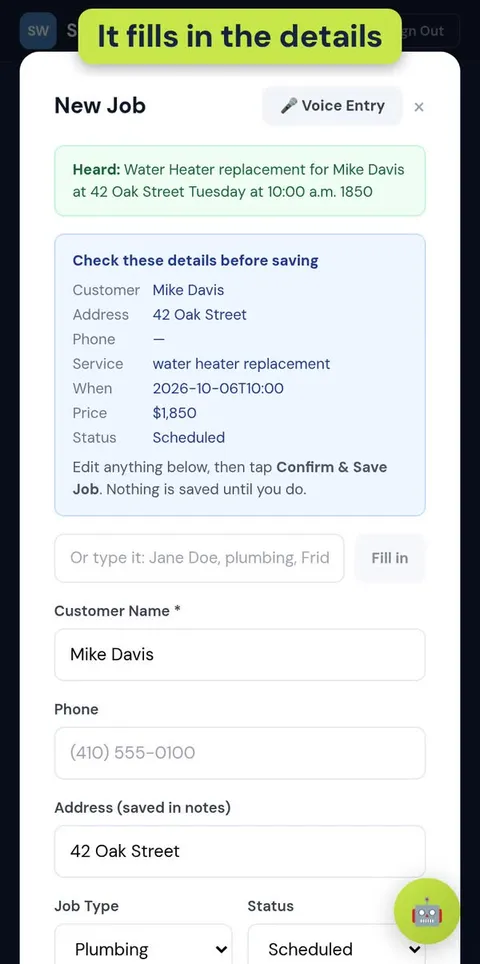
Every estimate starts from a job. Tap New Job and say it the way you would say it to your office: “Water heater replacement for Mike Davis at 42 Oak Street, Tuesday at 10, about eighteen fifty.” StackedWork fills in the customer, phone, address, job type, price, and date, and shows you a short summary to check before anything is saved.
If you are somewhere loud, or your browser blocks the microphone, type the same sentence instead. Typed entry fills in the same details.
Build the estimate line by line
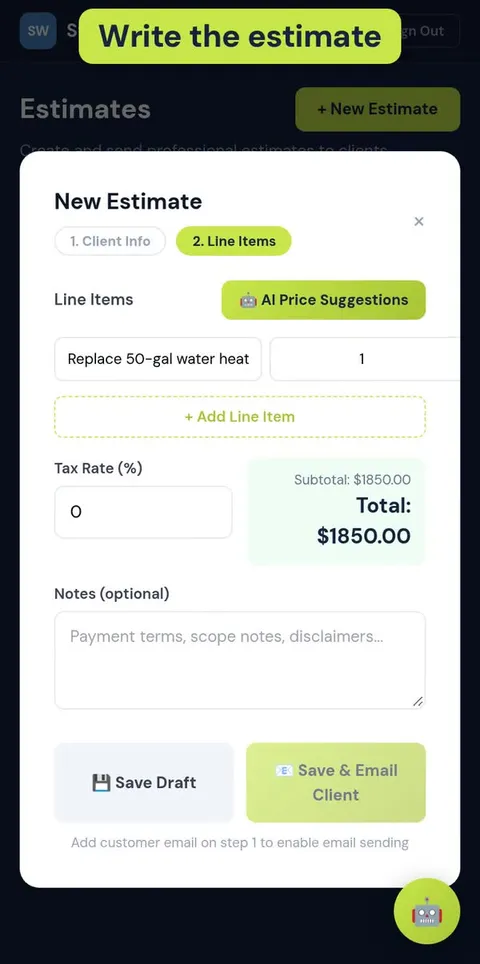
An estimate in StackedWork is a list of line items. Each line has a description, a quantity, a unit, and a price, and the total updates as you go. Add a tax rate if you charge one, and use the notes for scope, exclusions, or payment terms.
If you are not sure what to charge for a line, the optional AI price suggestion gives you a starting point. You always set the final number.
- Units that match how trades actually price: hours, days, each, sq ft, linear ft, flat-rate job, and materials like bags or gallons.
- Tax rate and a running subtotal and total.
- Notes for scope, what is not included, and terms.
- Save as a draft and finish it later, or send it right away.
Send it as a link your customer can open anywhere
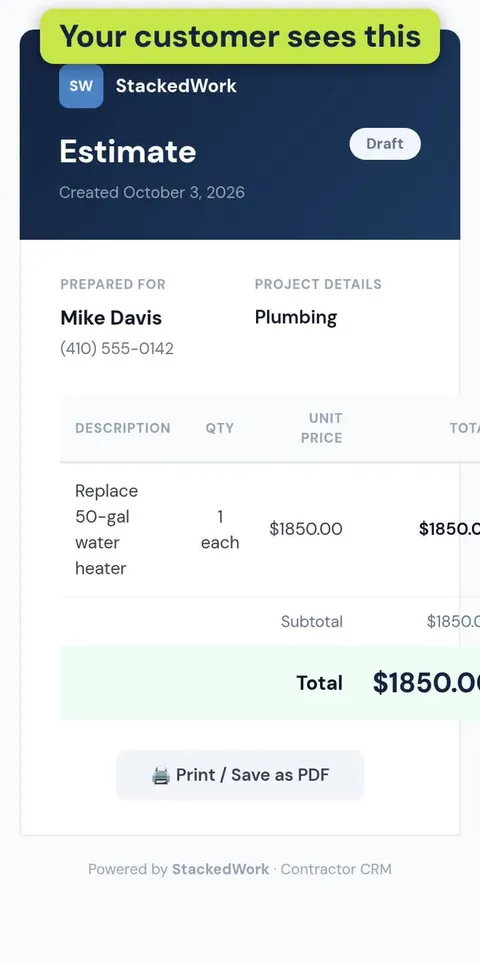
When the estimate is ready, share it as a link. Paste it into a text, an email, or whatever app your customer already uses. They open a clean estimate page on their phone with your line items, tax, and total, and they can print it or save it as a PDF for their records.
There is no app for your customer to download and no account for them to create.
Track what happened to every estimate
Estimates sit in one list with their status, so you can see what is still a draft, what has been sent, and what was accepted or declined. Mark an estimate accepted when the customer gives you the go-ahead, and it stays tied to the job.
That list is also how you follow up: the sent estimates that never got an answer are the ones worth a phone call this week.
When the work is done, the invoice is one tap away
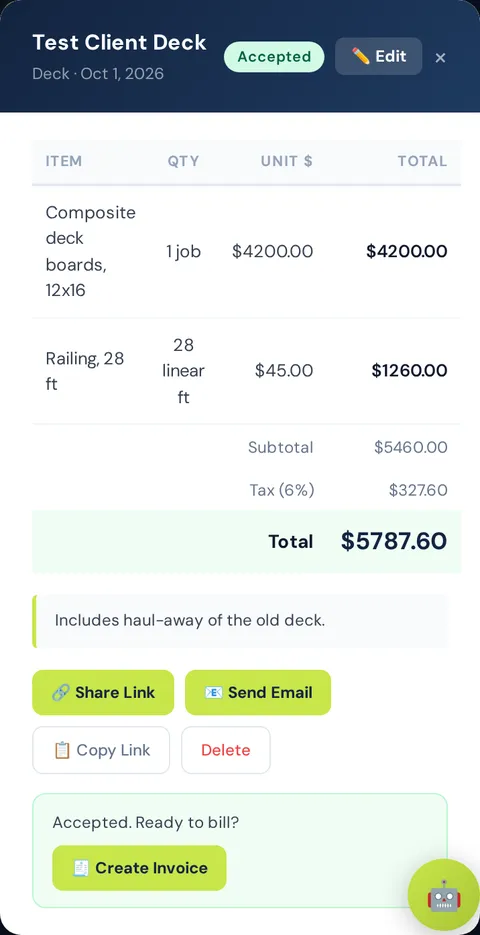
An accepted estimate has a Create Invoice button. It makes an invoice with the same customer and line items, gives it its own invoice number, and sets the due date to Net 15 by default (you can change it). You do not retype anything.
StackedWork does not collect payments yet. Your customer pays you the way you already get paid, and you mark the invoice paid when the money comes in.
What it costs
StackedWork starts with a 30-day free trial. You do not need a credit card to start. After the trial it is $49.99 per month if you add a card; if you don't, the trial just ends and there is nothing to cancel.
It runs in the browser on iPhone, Android, tablets, and computers, so there is nothing to install.
No credit card. Then $49.99/mo only if you add a card. If you don't, the trial just ends.
Related
- Contractor invoice app (30-day free trial): Turn estimates into invoices with Net 15 due dates and overdue tracking.
- Estimate and invoice app for handymen: Log small jobs by voice and bill them the same day.
- StackedWork FAQ: Price, free trial, cancellation, phone use, voice entry, invoices, privacy.