A contractor invoice app you can try free for 30 days
First, what “free” means here, plainly: StackedWork is free for 30 days, with no credit card needed to start. After that it costs $49.99 per month. If you never add a card, the trial ends on its own and you are not charged. There is no free-forever plan.
With that out of the way, here is how invoicing works in StackedWork, and what it does not do yet.
No credit card. Then $49.99/mo only if you add a card. If you don't, the trial just ends.
Invoices that start from the estimate
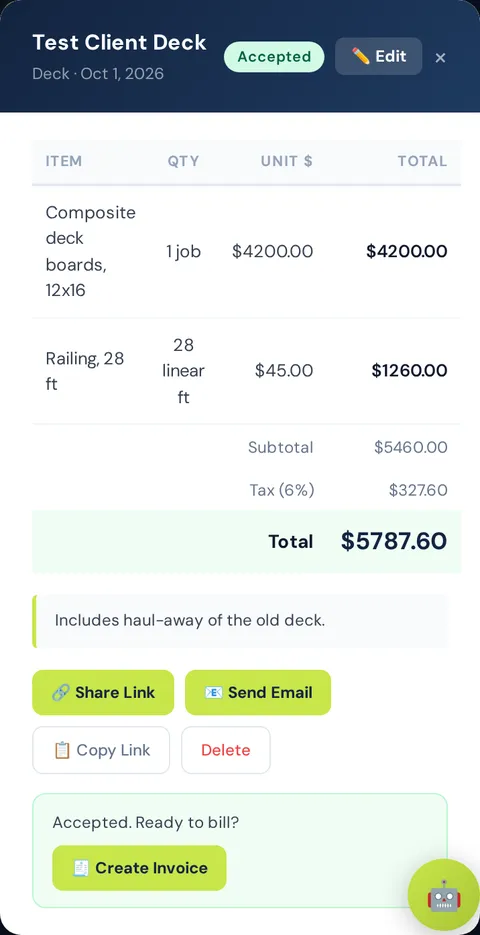
The fastest invoice is the one you do not have to type. When a job came from an estimate in StackedWork, the Create Invoice button on that estimate builds the invoice for you with the same customer and line items. Change a quantity if the job grew, add a line for the extra trip, and it is ready.
You can also create an invoice on its own for work that never had an estimate.
Numbers, dates, and Net 15 by default
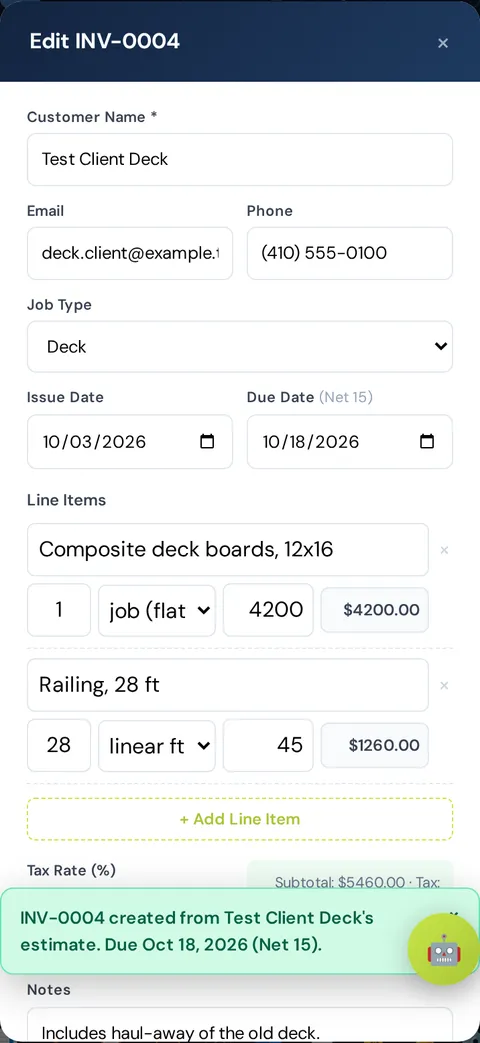
Each invoice gets its own invoice number automatically, so your records stay in order without a spreadsheet. The issue date is filled in, and the due date defaults to Net 15: fifteen days after the issue date. If you work on different terms with a customer, change the due date on that invoice.
- Automatic invoice numbering.
- Issue date and a Net 15 default due date you can edit.
- Line items with quantity, unit, and price, plus a tax rate.
- Notes for anything the customer needs to know.
A link page your customer can open, print, or save
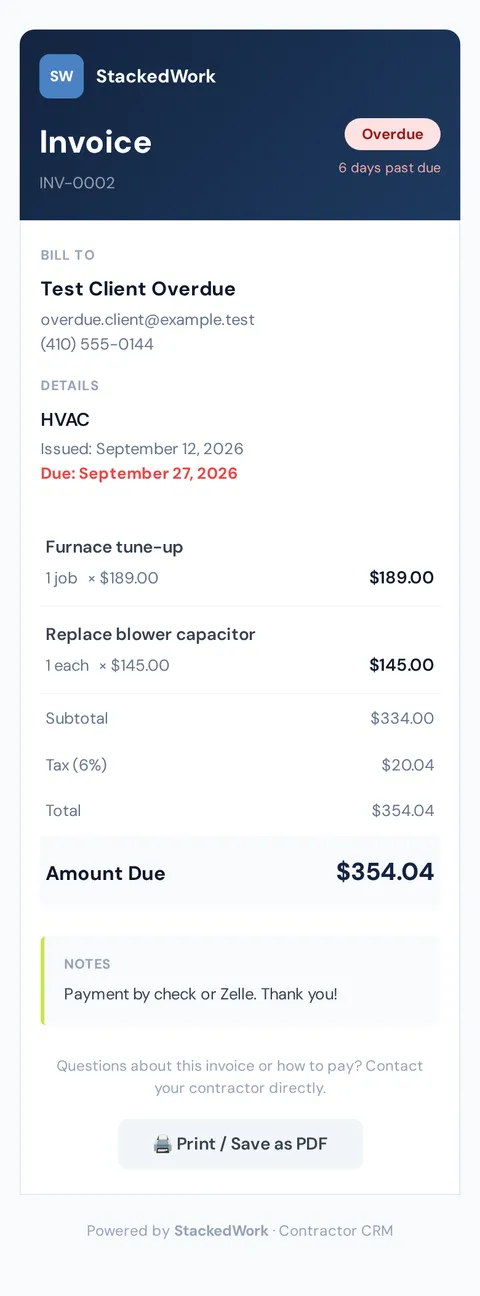
Send the invoice as a link by text, email, or any messaging app. Your customer opens a clear invoice page on their phone showing the line items, the amount due, and the due date. They can print it or save it as a PDF, and they do not need an account.
What it does not do yet: collect payments
StackedWork does not take card or bank payments for you today. The invoice page tells your customer to contact you about how to pay, and they pay you the way you already accept money: check, cash, a payment app, or your existing card reader.
When the payment arrives, mark the invoice paid. If we add payment collection later, this page will say so.
Know who owes you, without digging
Invoices live in one list with their status. Anything unpaid past its due date is marked overdue, with how many days late it is, so the follow-up calls are obvious. The top of the list adds up what is outstanding, what is overdue, and what has been paid.
Estimates and invoices are connected, too: open an estimate and you can see which invoices were made from it.
Built for a phone, not a back office
StackedWork runs in the web browser on iPhone and Android, and on a computer when you want a bigger screen. Jobs can be entered by voice or by typing one sentence, and the same account works on every device.
Start the 30-day free trial with just an email and a password. No credit card. After 30 days, it is $49.99 per month if you decide to keep it.
No credit card. Then $49.99/mo only if you add a card. If you don't, the trial just ends.
Related
- Estimate app for contractors: Write an estimate on the job site and send it as a link.
- Estimate and invoice app for handymen: Log small jobs by voice and bill them the same day.
- StackedWork FAQ: Price, free trial, cancellation, phone use, voice entry, invoices, privacy.